
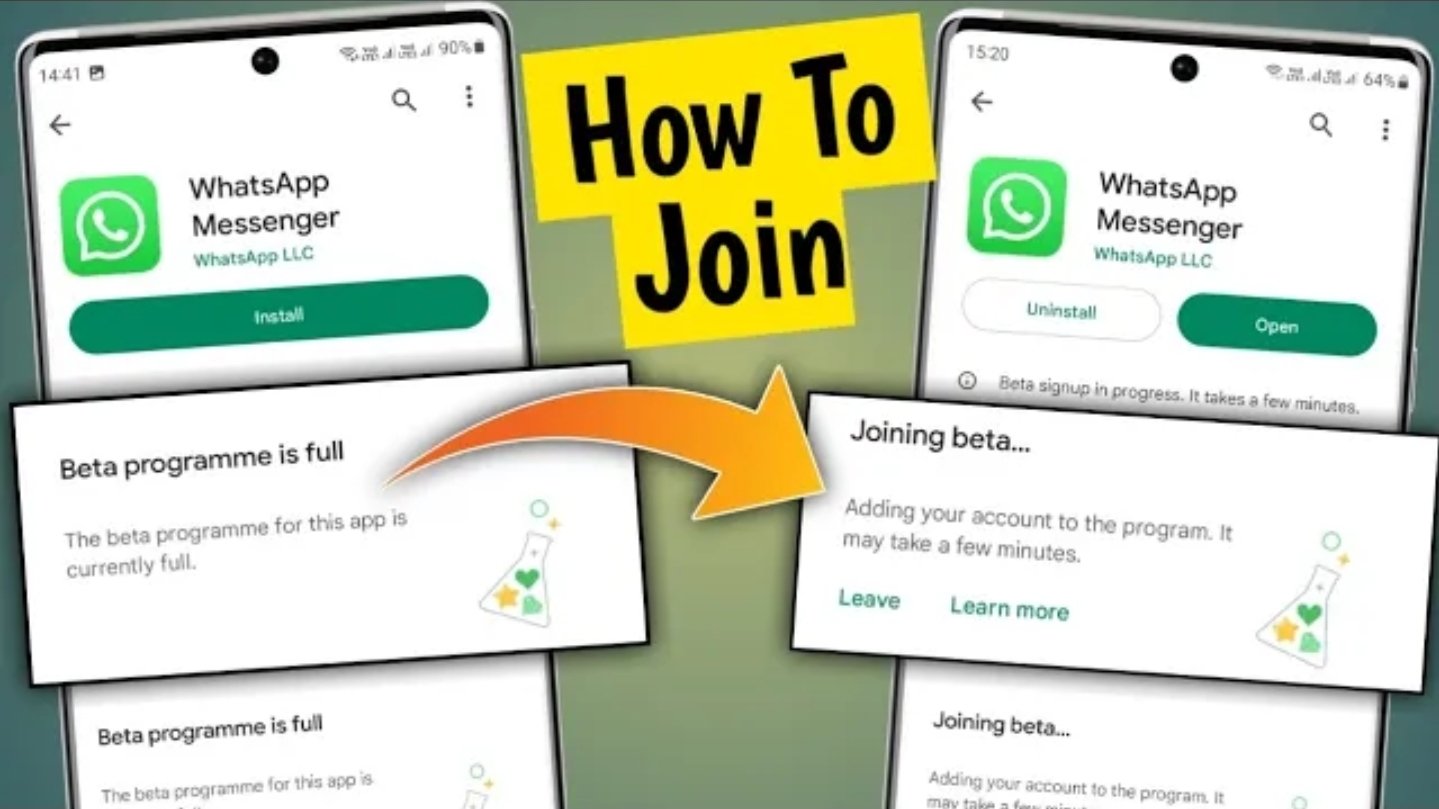
Join Beta version
How to Join WhatsApp Beta version vp tamilin WhatsApp introduced a number of significant new features and updates across various aspects of the application, including chats, calls, groups, channels, and the overall app design. Here is a summary of the key highlights:
Recent Features
Group Call Scheduling: The application now allows users to schedule group calls in advance directly from the Calls tab, including inviting individuals or groups and managing upcoming calls with attendee lists and call links for calendar integration. Participants will receive a notification before the call begins.
Enhanced Group Calls: During group calls, users have the ability to raise their hand to request to speak or send reactions without disrupting the ongoing conversation.
Improved Call Links: The individual who generates a call link will now receive a notification when someone joins the call through that link.
The following features have been introduced:
Animated Emojis & Stickers: Emojis now feature animation, adding vibrancy to conversations. Furthermore, videos can be transformed into animated stickers, thereby increasing enjoyment.
Avatar Social Stickers: Avatar stickers can be shared in one-on-one chats with contacts who have created avatars.
Simplified Group Creation: Groups can be established simply by providing a name, with the option to add members later or share an invitation link.
Multi-Media Captioning and Reaction: Multiple photos or videos can be sent simultaneously with a shared caption. Recipients have the ability to react or respond to the entire collection or specific items.
Group ‘Online’ Indicator: The number of online participants in group chats is now visible.
Highlight Notifications: Group chat notifications can be prioritized using the new ‘Notify for’ setting, allowing alerts to be received only for replies, mentions, or specific contacts.
Calls Tab Features
New Filters and Effects: Six new filters and effects are available for use during video calls or when capturing photos.
Pinch to Zoom in Video Calls: During video calls, users can pinch to zoom for a more engaging viewing experience.
To participate in the WhatsApp beta program, the following steps are generally followed, depending on your device:
For Android:
Please open the Google Play Store on your Android phone.
Kindly search for “WhatsApp.”
Then, scroll down to locate the section labeled “Become a beta tester.”
Please tap the “I’m in” or “Join” button to enroll in the beta program.
Allow a few minutes for the beta update to become available. Subsequently, update WhatsApp to the beta version.
Open WhatsApp and begin using the beta features.
Please note that the beta program may have limited availability and could be full at times. If this occurs, you may try refreshing the beta join page periodically or revisit it later. Alternatively, you could consider downloading the beta APK from reputable sources such as APKMirror.
For iOS (iPhone):
Kindly begin by installing Apple’s TestFlight application on your device.
Subsequently, you may join the WhatsApp beta program by utilizing a public invitation link offered by WhatsApp.
Through TestFlight, you will be able to install and update the beta versions of WhatsApp.
Please be aware that the availability of beta slots is limited and may be closed; therefore, you might need to await the program’s reopening.
Important points to consider:
Beta versions may potentially contain bugs and could be less stable compared to the official release.
It is recommended to back up your chat history before transitioning to the beta version.
As a beta tester, you will gain early access to new features while also assisting in reporting any issues to enhance the application.
If you would like, I would be happy to provide a direct link or guide tailored to your specific device to facilitate your participation in the beta program. Please do not hesitate to inform me!
The following outlines the procedure for enrolling in the WhatsApp Beta program on Android:
1. Launch the Google Play Store application on your Android device.
2. Search for “WhatsApp” and access the WhatsApp application details page.
3. Navigate to the “Become a beta tester” section within the application details.
4. Select the “I’m in” or “Join” option within the specified section.
5. Await the confirmation message, which may require a brief period, indicating successful enrollment.
6. Following beta program enrollment, return to the Play Store and update WhatsApp to the most recent beta version if an update is available.
7. Launch WhatsApp to begin utilizing the beta version and access new features.
Note:
The beta program may have limited availability.
To address potential program limitations, consider refreshing the beta enrollment page or attempting enrollment via an alternate browser or device utilizing the same Google account.
